Using Microsoft Teams for Remote Music Teaching (Drum Lessons)
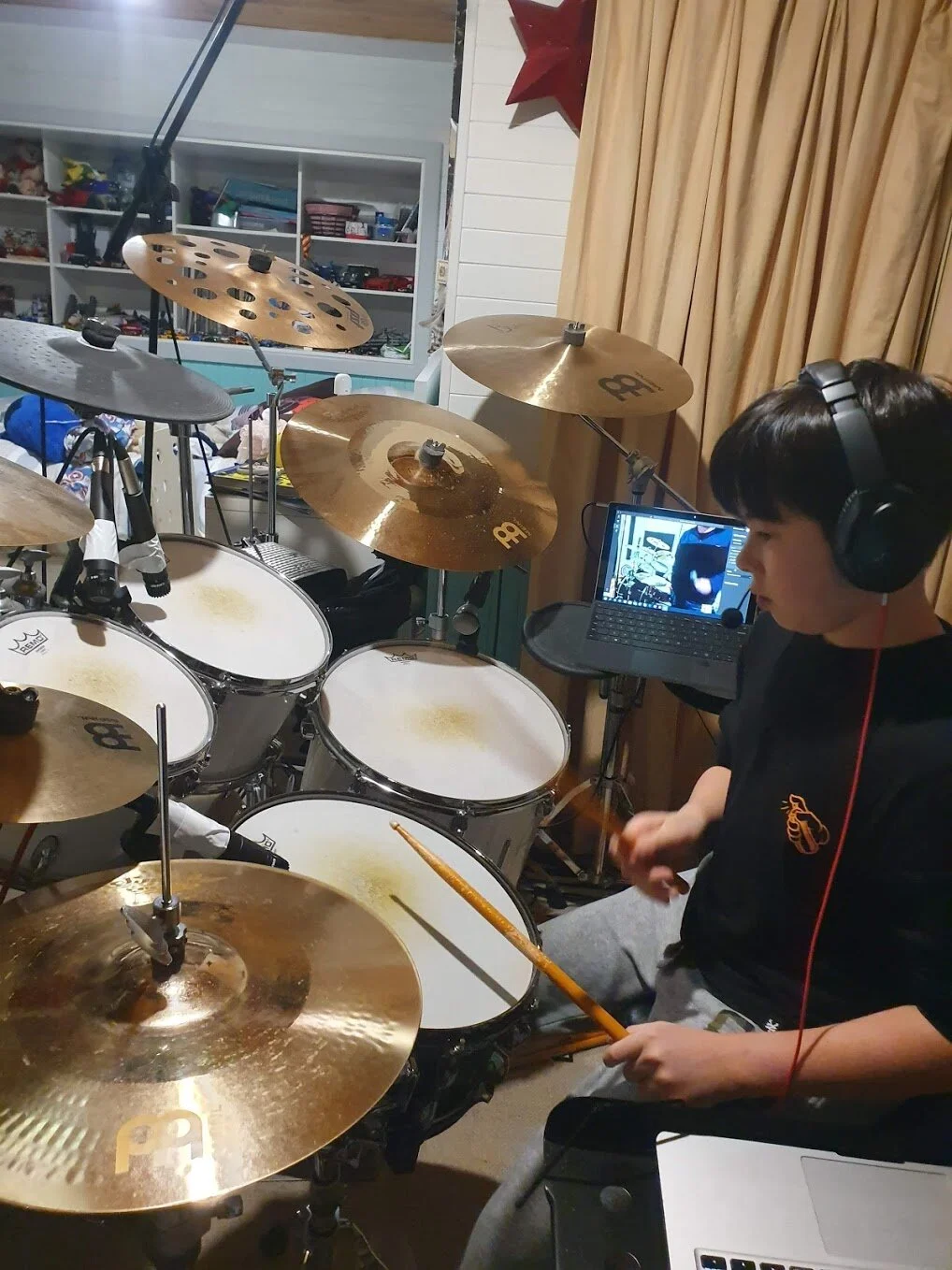
So with everything shutting down here in Australia due to Covid-19, we needed to find a way to continue our son’s drum lessons remotely. While I am sure you are asking why we couldn’t just sit a laptop next to the drum set, spin up a Teams meeting, and be done with it - as always I wanted to be extra, and find the most optimal solution possible. By no means do I expect this to be easily replicated by anyone. Rather I want to provide a walk through, or set of tools that drum and other instrument instructors can use to get the most from their remote delivery, and perhaps (hopefully) help their businesses continue during this very difficult time. It can be done, and it can be done really well. This is how.
Microsoft Teams does a solid job of allowing high fidelity audio, and video on fairly bad internet connections. It has so far stood up well to our ageing ADSL copper. It also allows us to achieve many of the “nice to haves” that help augment the learning experience, including shared sheet music, channels for each week, long recordings, meet now, and persistent chat. What makes my son’s lessons truly shine though, is the audio configuration, careful planning, and the way both instructor and student have set up their respective studios. The below lays out the why, what, and how. Hopefully it saves you a lot of time. Special thanks to the awesome Troy Krone at BPM Drum Academy - John’s awesome teacher for over 6 years.
Why a laptop alone just doesn’t work### Volume, Audio Accuracy, Laptop Microphones, and Crappy SpeakersIn a previous post, I described just how loud a drum set is. Spoiler alert for those who have not read the post, it’s loud. Laptop microphones are tuned for a single voice, and specifically an unamplified speaking voice. Often laptops will have very directional microphones - which complicates matters further.
John mid lesson with Troy Krone of BPM Drum Academy
I’ve also described how the dynamic range, frequencies, and complex mix of soundwaves that emanate from an acoustic drum kit are unmatched in the music industry. Fun fact: this is why many bands will choose certain studios to record an album - as the shape of the room and thus the way these waves bounce around ultimately determines “the soundscape” and the sound of the drums.
Laptop microphones have zero chance of accurately capturing any of this. Most will result in tinny, and often crackled representation. Others will peak out entirely, which in turn creates little more than pops, cracks, and the occasional garbled “dongs” of a cymbal.
This is clearly not satisfactory for quality learning - so we had to find a better way.
Two Way CommunicationImagine you are playing along to a song, or playing a groove on an acoustic drum kit while wearing hearing protection. In a traditional face to face lesson the drum teacher will often tap the student on the shoulder, or raise their voice loud enough to be heard. Laptop speakers and microphones are simply inadequate for two way communication in this environment, full stop. Raise Hand, while a cool new feature coming soon to Microsoft Teams, also doesn’t work here. If the student is 100% focused on playing the drums, they have almost zero chance of seeing the little Simpson’s-like yellow hand. I also don’t want my son focusing on my laptop while drumming. Knowing him, he will put a drumstick right through the keyboard.
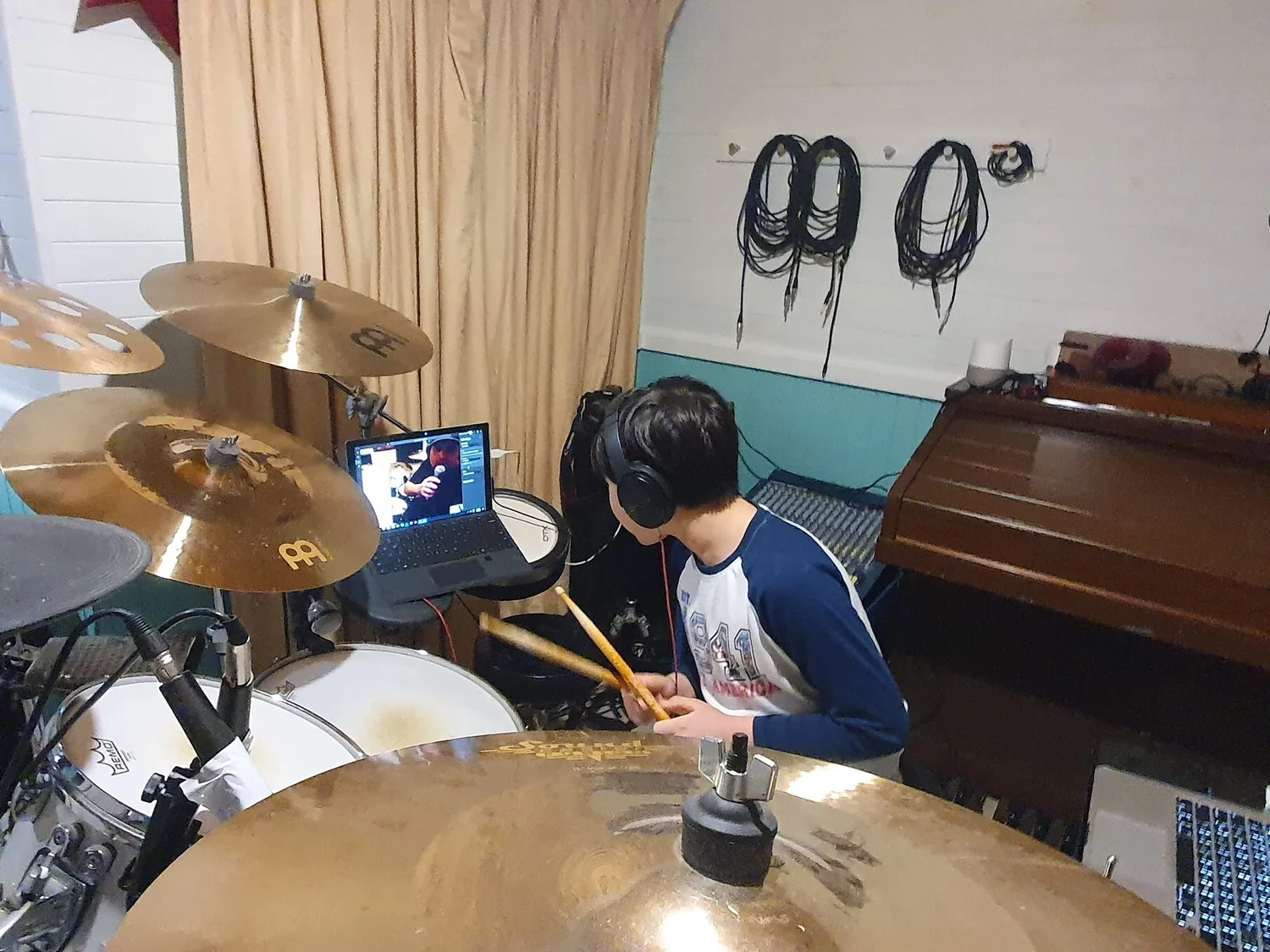
John mid lesson with Troy Krone of BPM Drum Academy
The only solution is for the Teacher to be able to speak to the student through their headset - at a volume that is at least the same as, or possibly higher than, the drum kit itself. Similarly, the student needs to be able to respond to the teacher, ask questions, and generally be engaged like they are face to face. This all needs to be broadcast over the Teams meeting.
*So why not use a USB gaming headset with microphone and plug that into Teams? Trust me, I thought about this. But currently no USB headset has a sufficient, or certified sound reduction to ensure the safety of my child’s ears. It was a non-starter. Furthermore, the microphones in these headsets are also not suitable for drum kits, and are actually more prone to peaking than the laptop itself - so we are back to square one. *
Playing along with SongsA really important part of drum lessons is playing along to, or deconstructing recorded songs. We use a combination of spotify and drumless tracks in our lessons. While sure my son can absolutely use the laptop to play these songs and listen through his headphones, but without some creativity, there is no easy way for his teacher to hear what he is hearing, or the drums clearly playing along with the song. Switching between Teams and Spotify (aka Alt + Tab’ing) was also a roadblock for my 10 year old son, who has enough trouble getting out of bed and feeding himself. So a single laptop wasn’t going to work.
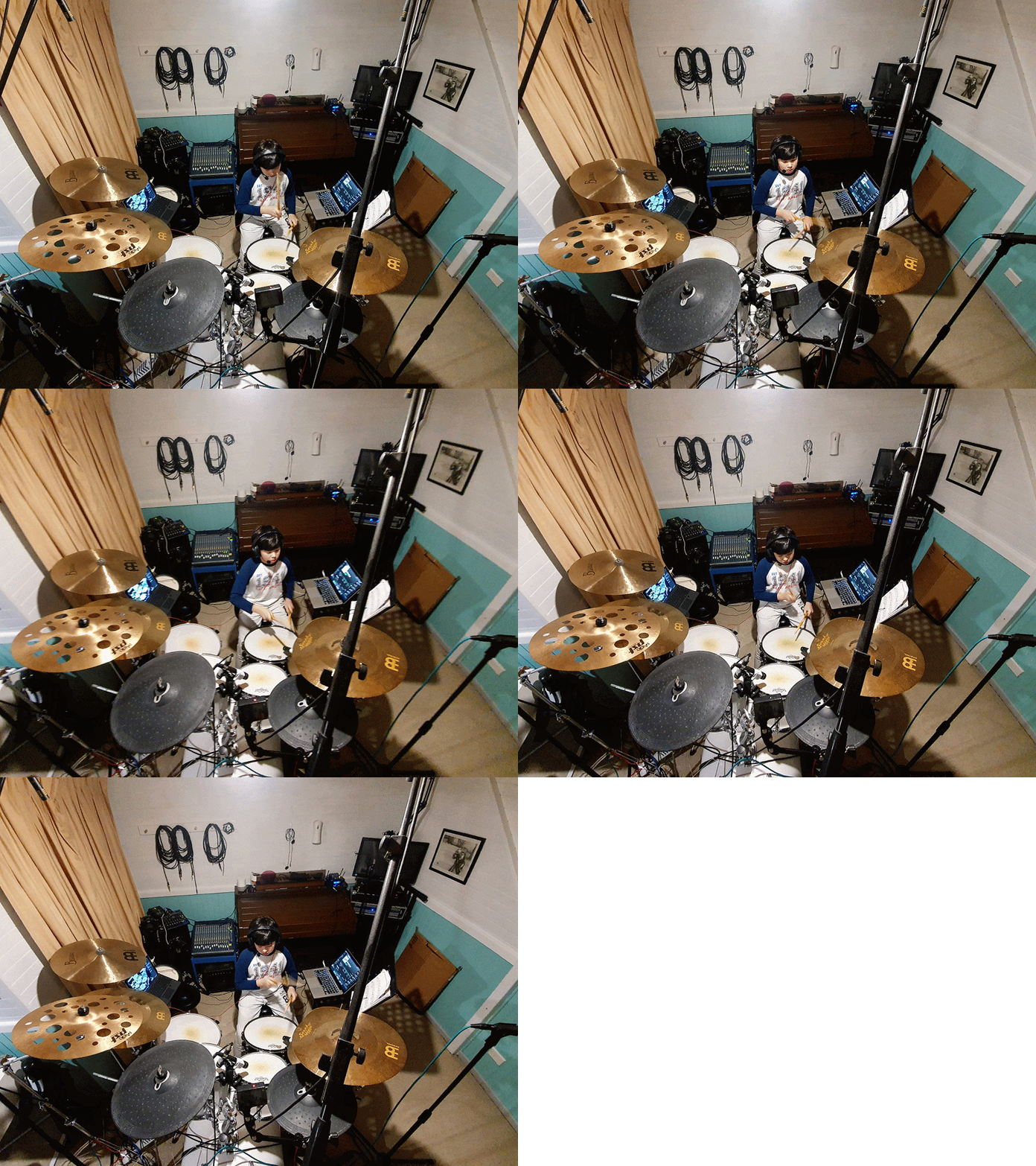
John mid lesson with Troy Krone of BPM Drum Academy
The other alternative was (and this is how we ran the first experiment) to play the songs through our loudspeakers and have the microphones (described later) pick this up organically. Now not everyone has 16 inch stage loud-speakers in their studio, or an amp that can drive these to ear bleeding volumes, but it does work. Please keep in mind we have a sound-isolated studio and even then you can hear this from the top of our street. The fidelity, as picked up by the drum mics, wasn’t as clear as we needed though, so I will describe later how we iterated on this requirement.
Positioning and Camera AngleThe teacher, and student need to be able to see as much of each others’ drum kits as possible. Period. In early stages of learning, it might be ok to see only a part of the kit, but when you are working on complicated fills (see below) you really need to be able to see everything. So, while we could try to position the laptop (in my case a Surface Pro) in some kind of precarious position, it is probably best to use an external webcam that can be stuck to a mic stand.
Core Requirements BreakdownWith all of the above problems, we needed to solve for the following to ensure a quality learning experience.
-
Each of the Instructor’s drums and cymbals need to be clearly heard with as much fidelity as possible by both Teacher and Student- Each of the Student’s drums, cymbals, and hybrid electronic components need to be clearly heard with as much fidelity as possible by both Teacher and Student- The student needs to be able to see the teacher playing demonstrating with minimal audio/video lag over ADSL- The teacher needs to be able to see the student playing with minimal audio/video lage over ADSL- The student needs to be able to play along with a song with zero lag AND- The teacher needs to be able to hear the student’s drums clearly, along with the background song- The student needs to be able to hear the teacher’s voice clearly - even while playing the drums- The teacher needs to be able to hear the students voice clearly- Both the Teacher and Student need to ensure that they adhere to best practices for hearing protection- The meeting needs to last for at least 60 minutes- Any recording needs to last the full length of the lesson Some Nice to Haves we decided to also solve for
-
The Teacher wants to record the lesson- The Teacher would like to share sheet music with the student- The Teacher would like the student to be able to share practice sessions- The teacher and student should be able to start an instant meeting, without needing to send invitations or recurring events
What is Microsoft Teams?If you are unfamiliar with Microsoft Teams, there are a stack of places to learn more. The Australian team has prepared this website that has just about everything you could ever need, so I would start here - https://educationblog.microsoft.com/en-au/2020/04/k-12-remote-learning-support-centre/
Aside from Microsoft’s own resourcesMy good friend Sam McNeill has an awesome blog that is well worth checking out - https://samuelmcneill.com/2020/03/16/the-ultimate-collection-of-resources-for-remote-learning-with-microsoft-365/
Solving Each Requirement - one by one### Each of the Instructor and students’ drums and cymbals need to be clearly heard with as much fidelity as possible by both Teacher and StudentMicrophoning a drum set is a complex task on its own, and is deserving of its own blog post (coming soon-ish). This is not something we had to do explicitly for this project, as my son’s kit had already been professionally set up and audio balanced by his teacher.
We have been using this to provide high fidelity feedback through headphones primarily, but also so we can amplify through two 16 inch loudspeakers - in case we want to play as a band, and/or annoy the neighbours. John’s teacher has a similar setup to ours, albeit with better mics and a digital mixer.
Keep Reading
Why Young Musicians Should Explore All Genres of Music: Unlocking Creativity and Growth
As a young musician embarks on their musical journey, the world of music can feel vast, diverse, and sometimes overwhelming. With so many genres, styles,...
Should my child learn more than one instrument?
There’s a lot of debate on the internet as to whether it is best for your child to learn one, or two, or multiple instruments - so I thought I would add my...
Can you or your child really learn to play the drums online?
I had a discussion today with a colleague about drum/music lessons, and he wanted to get my thoughts on the myriad of online videos, courses, and options...
Stay in the Loop
Get new posts delivered to your inbox. Tips, gear advice, and everything we learn about raising a little drummer.
No spam, unsubscribe anytime.